← Back
How to Create a Custom Object in Salesforce
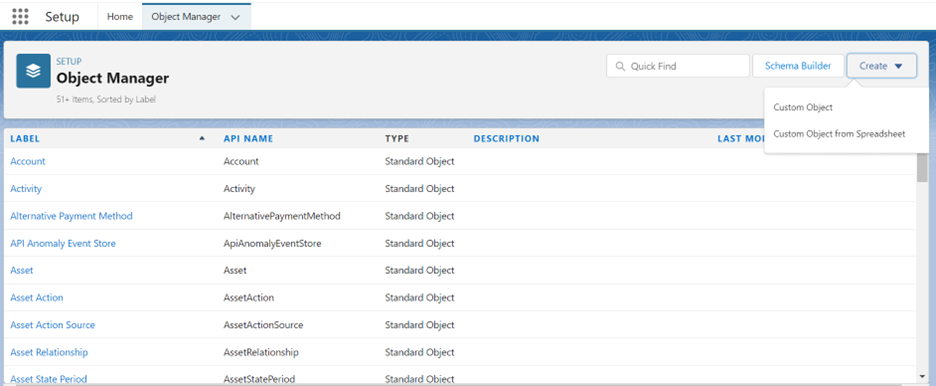
1. Login to your Salesforce Developer account, and follow the path:
Setup >Object Manager> Create > Custom Object
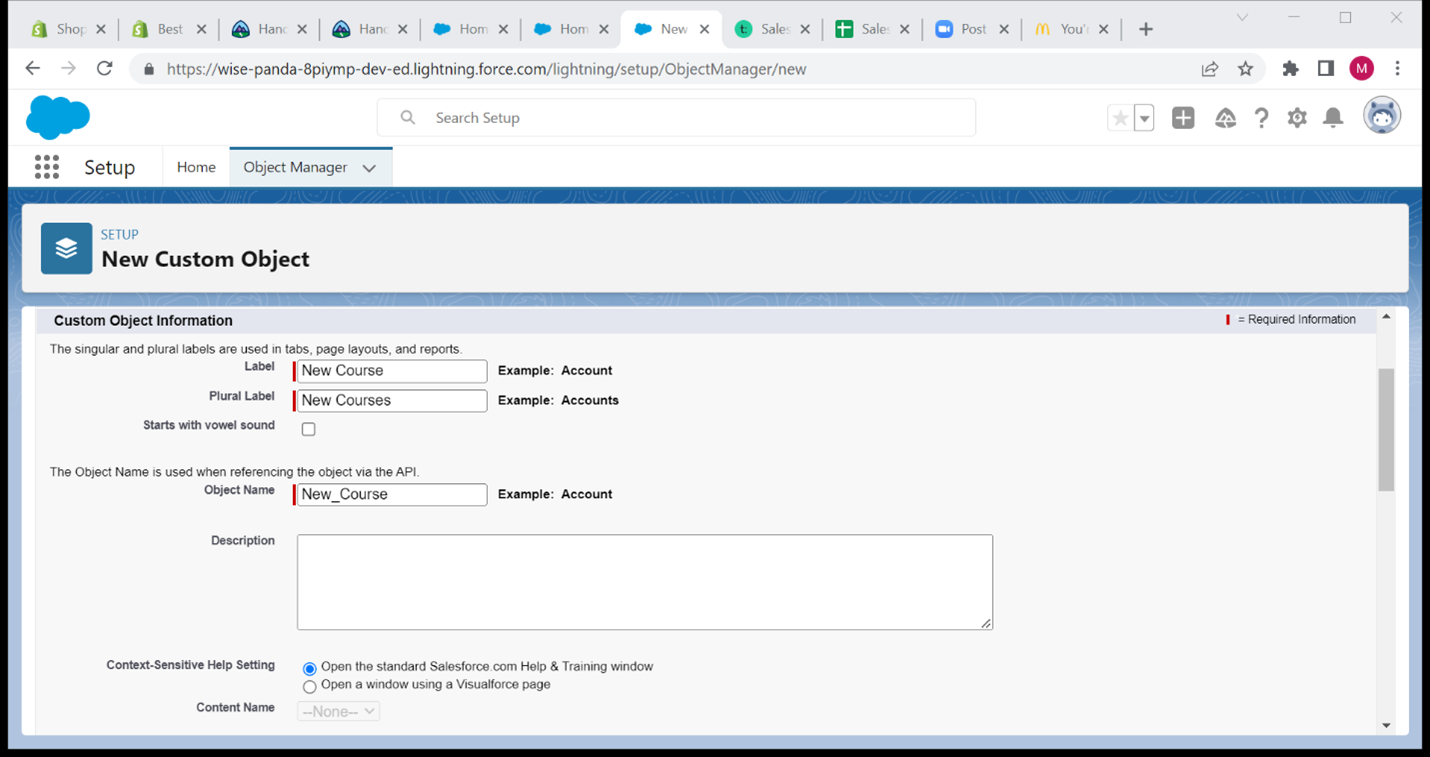
2. A new window will appear where fill in the details of the New Custom Object
3. Enter the Label of the object that you want to create
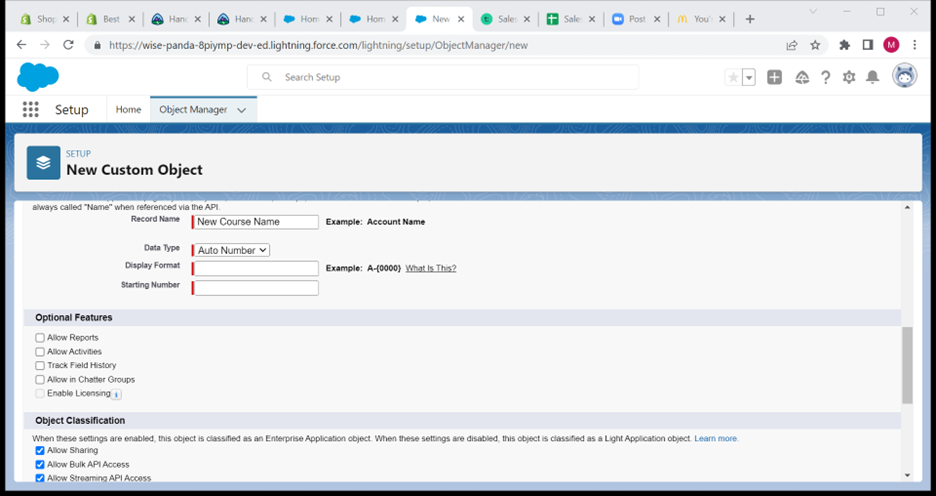
4. Set the data type as ‘Auto Number’
5. Display the format as ‘C-{00}’
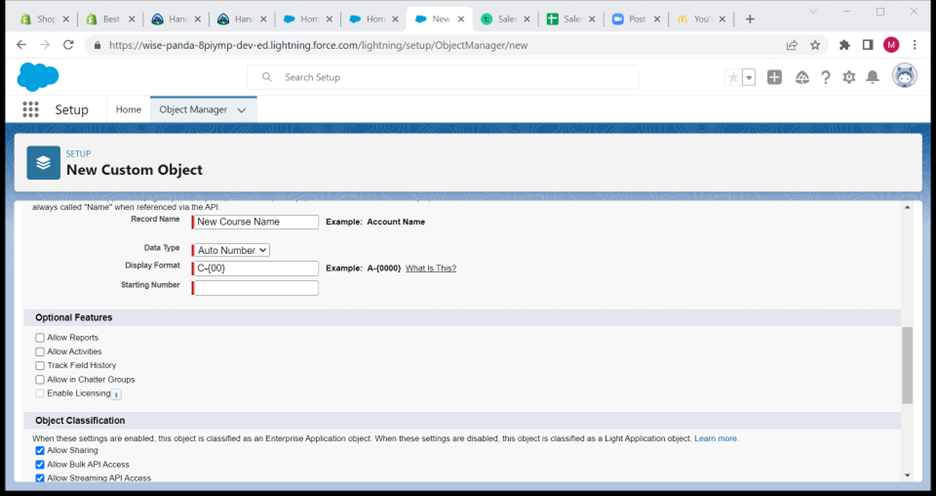
6. Set the starting number as ‘1’
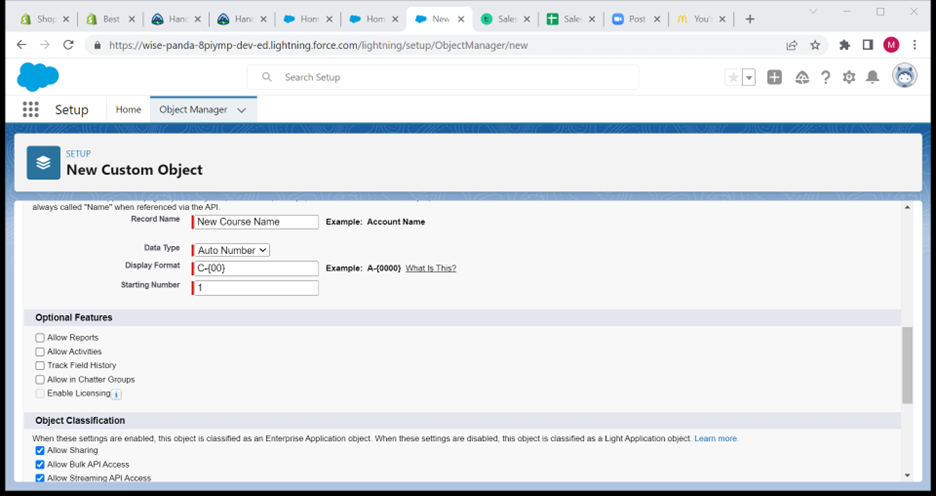
7. Enable all optional features
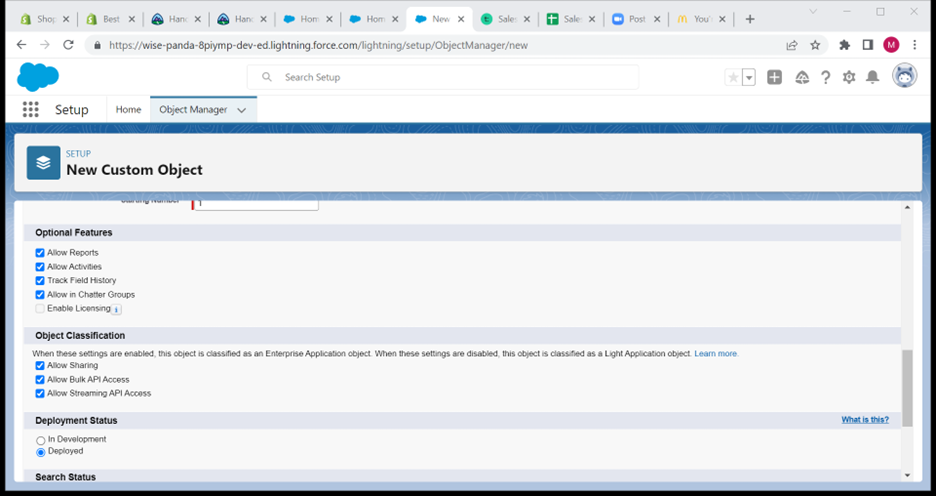
8. Click Save
0 Comments Add a Comment?